
Disclaimer: This article is for general information only. Google changes AI Mode features, availability and language support often, and some features differ by country, account type and device. Details are accurate as of September 2026. Check Google’s official Search Help pages before making business decisions based on them.
Quick Answer: What is AI Mode in Google?
AI Mode in Google is a conversational search experience, powered by Gemini, that answers complex questions in a single detailed response with links to sources. Instead of ten blue links, it breaks your question into sub-queries, searches them all at once and lets you ask follow-ups. It is free with a Google account.
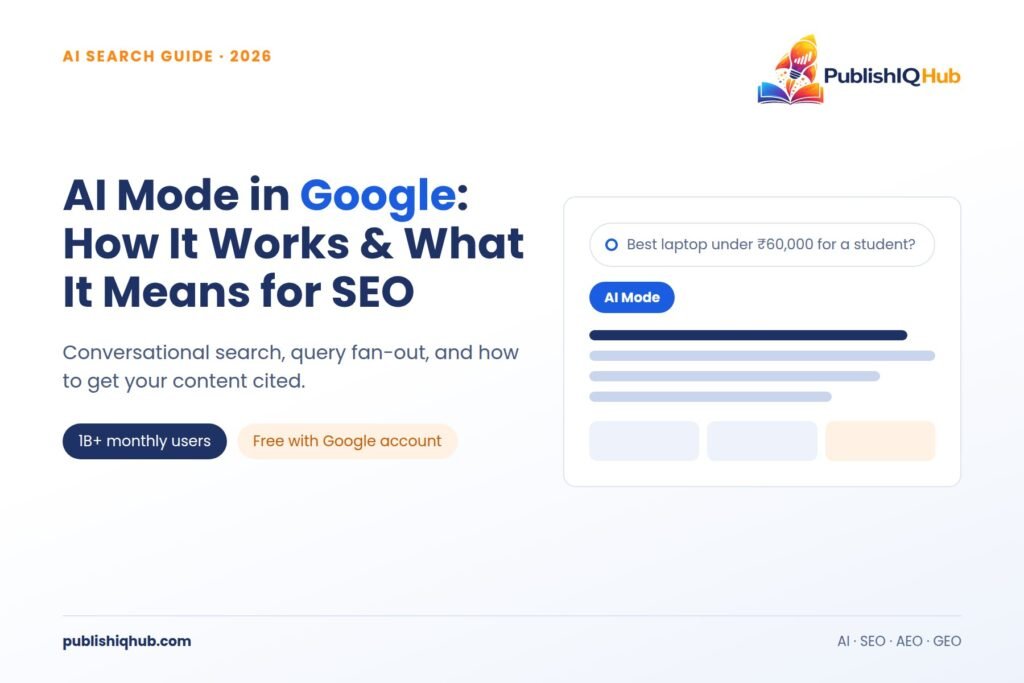
Type “best budget laptop for a college student in Pune under ₹60,000 with good battery life” into regular Google, and you get a page of listings to dig through. Type the same thing into AI Mode in Google, and you get a structured answer, a shortlist, the trade-offs and a follow-up box asking what you want to know next.
That shift is why AI Mode in Google has become one of the most searched AI topics of 2026. It isn’t a side experiment anymore. Google says AI Mode crossed one billion monthly users within a year of launch (Google, May 2026).
Below: what it is, how it works, how to use it, how it compares with AI Overviews and ChatGPT Search, and what brands should do about it.
What Is AI Mode in Google, Exactly?
AI Mode is a separate tab inside Google Search. You can find it next to “All”, “Images” and “News”, in the Google app, at google.com/ai and in the Chrome address bar.
Think of it as Google Search with a chatbot built in. You ask a long, messy, real-world question. Google’s Gemini model reads it, plans a set of searches, pulls from the web plus Google’s own data (Shopping, Maps, Finance, flights) and writes one answer.
The answer comes with source links in a side panel. Follow-ups remember context, so “only ones with a backlit keyboard” narrows the list without repeating the budget.
Since May 2026, Gemini 3.5 Flash is the default model powering it, according to Google’s I/O 2026 Search update.
How Does Google AI Mode Work?
The core idea is something Google calls the query fan-out technique. When you submit a question, AI Mode does not run one search. It splits your question into several smaller sub-questions, runs them at the same time across different sources, and then stitches the findings into one response. Google’s own Search Central documentation on AI features describes it as “issuing multiple related searches across subtopics and data sources to develop a response.”
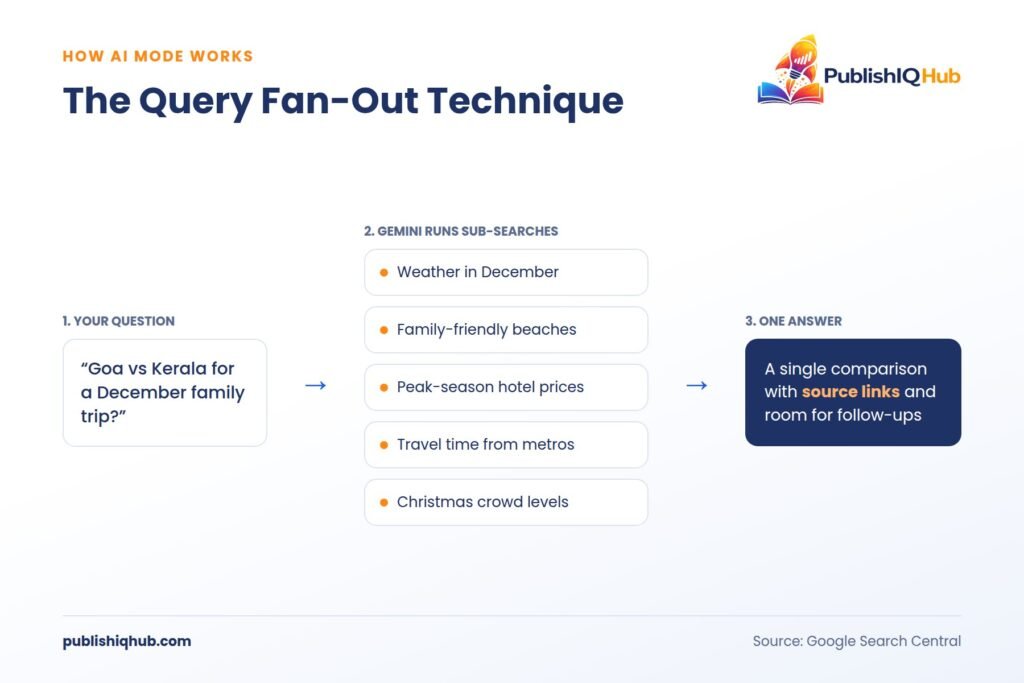
Here is a simple example. A query like “Goa vs Kerala for a December family trip” might fan out into:
- Weather in Goa and Kerala in December
- Family-friendly beaches and activities in each
- Average hotel prices in peak season
- Travel time from major Indian cities
- Crowd levels during Christmas and New Year
Each sub-search pulls its own pages. That’s why AI Mode often cites sources that don’t rank for your original query. It found them through a sub-query you never typed.
People also type differently here. Google says queries in AI Mode are nearly three times longer than traditional searches (Google India blog, October 2025). Longer questions mean more fan-out, and more chances for niche, specific content to get pulled in.
How to Use AI Mode in Google: Step-by-Step
Getting started takes under a minute. Google’s AI Mode help page lists the main entry points.
- Sign in to your Google account. Open google.com or the Google app on Android or iPhone.
- Open AI Mode. Tap the “AI Mode” tab under the search bar, go straight to google.com/ai, or type your question in Chrome’s address bar and choose AI Mode.
- Ask a full question. Write it the way you would ask a friend. Include budget, location, dates and preferences.
- Add images, files or voice if needed. You can upload a photo, snap one with Lens, or use Search Live to talk through a problem using your camera.
- Ask follow-ups. Refine, compare or drill down without starting over.
- Check the sources. Open the linked pages in the side panel before acting on anything important, especially health, money or legal questions.
- Revisit your history. Past AI Mode conversations are saved in your history panel, and you can delete them anytime.
Is Google AI Mode Free?
Yes. The core AI Mode experience is free for anyone with a Google account in supported countries. Google AI Pro and Ultra subscribers get extras first, such as higher usage limits and early access to search agents, but everyday use costs nothing.
How to Turn Off AI Mode in Google
There’s no single master switch, and Google’s help page doesn’t describe one. AI Mode is optional, though. If you don’t tap the AI Mode tab, you get regular results. For links only, use the “Web” filter under the search bar. You can also turn off search history and delete past AI Mode chats from the history panel.
Google AI Mode vs AI Overviews vs ChatGPT Search
This is one of the most common questions people ask Gemini and ChatGPT about Google’s AI features. The short version: AI Overviews are a summary on top of regular results, while AI Mode is a full conversation.
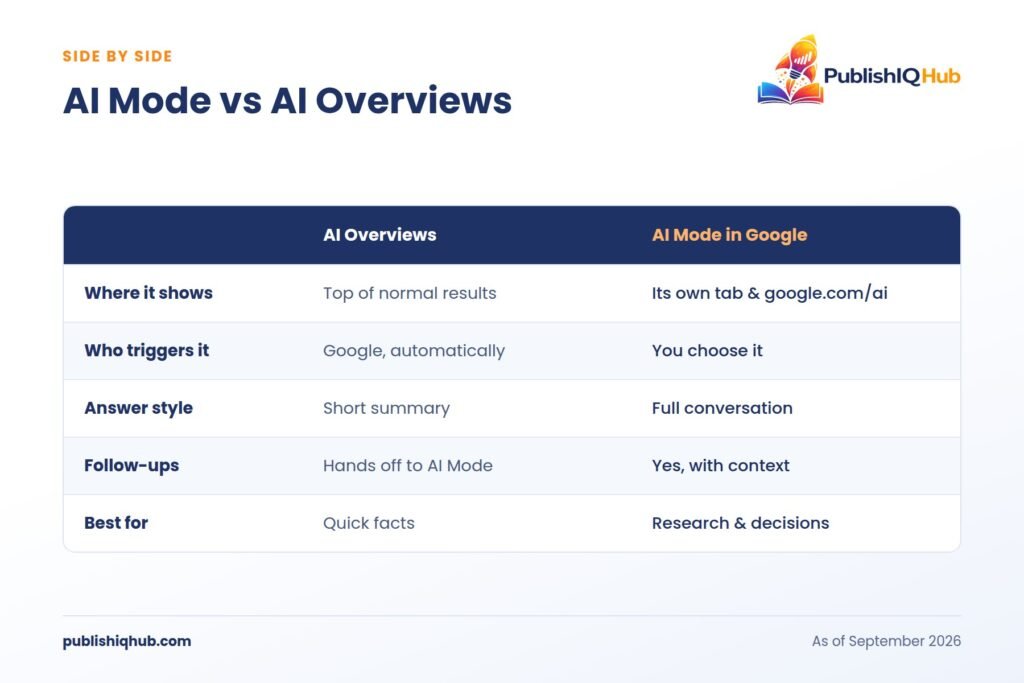
| Feature | AI Mode in Google | AI Overviews | ChatGPT Search |
| Where it appears | Separate tab, google.com/ai, Chrome address bar | Top of normal Google results | Inside ChatGPT |
| Triggered by | You choose it | Google decides, based on the query | You ask in chat |
| Format | Full conversational answer | Short summary box | Conversational answer |
| Follow-up questions | Yes, with memory of context | Can hand off to AI Mode | Yes |
| Search method | Query fan-out across Google’s index and data | Summary of top results | Web search plus model knowledge |
| Live Google data (Maps, Shopping, flights) | Yes | Partly | Limited |
| Cost | Free, extras for paid plans | Free | Free tier plus paid plans |
A practical rule: AI Overviews suit quick facts (“what time is sunset in Delhi”). AI Mode suits decisions and research (“which SIP platform suits a first-time investor with ₹5,000 a month”). ChatGPT Search suits people already working inside ChatGPT. If you’re comparing broader conversational tools, our round-up of leading AI chatbot companies and platforms covers the wider market.
What’s New in AI Mode in 2026?
Google has shipped updates almost every month this year. The ones that matter most:
- Search agents. At I/O in May 2026, Google announced information agents that track topics for you, launching first for AI Pro and Ultra subscribers, plus agentic booking for local services and AI calling for categories like home repair and pet care (Google, May 2026).
- A smarter search box. Google called it the biggest upgrade to its search box in over 25 years. It now accepts text, images, files, videos and even Chrome tabs as input.
- Connected apps. In July 2026, AI Mode began linking with Instacart, Canva and YouTube for US users (TechCrunch).
- Ads inside answers. At Google Marketing Live on May 20, 2026, Google began testing Conversational Discovery ads and Highlighted Answers inside AI Mode in the US (Search Engine Land).
- Generative visuals. AI Mode now builds charts and interactive layouts on the fly. Creators can pair it with these AI image generation tools.
Google AI Mode in India: Hindi and Regional Language Support
India matters a lot to this story. Google itself says Indians are its largest user base for voice and visual search globally.
The timeline so far:
- September 2025: Hindi joined AI Mode alongside Japanese, Korean, Indonesian and Brazilian Portuguese (Search Engine Land).
- October 2025: Google added Bengali, Kannada, Malayalam, Marathi, Tamil, Telugu and Urdu. India also became the first country outside the US to get Search Live, in English and Hindi.
- October 2025 (global): Google expanded AI Mode to over 200 countries and territories and more than 35 new languages.
So Google AI Mode in Hindi is fully live, and you can ask in Hinglish too. Try “Mumbai mein monsoon ke time best weekend getaway kaunsa hai” and it will answer in kind.
For Indian businesses, good content in Marathi, Tamil or Telugu can now be cited in AI answers read by millions.
What Does AI Mode in Google Mean for SEO and Publishers?
Here’s the uncomfortable part. When AI answers the question, fewer people click.
A Pew Research Center study of 900 US adults (data from March 2025, published July 2025) found users clicked a traditional result in just 8% of visits when an AI summary appeared, against 15% without one. Only 1% of visits involved clicking a link inside the summary itself. That study covered AI Overviews. AI Mode, being a full answer, is likely to push clicks down further, though large public studies on it are still limited.
The second shift is about who gets cited. A Semrush comparison study (February 2026) found AI Mode answers cite about seven unique domains on average, but only 53% of those domains and 35% of the URLs matched the organic top 10 for the same query.
Nearly half the sources AI Mode trusts are not ranking on page one. Classic rankings still matter, but they’re no longer the whole game. Measurement is tricky too: Search Console folds AI Mode traffic into the general “Web” report.
How to Rank in Google AI Mode: A Practical Checklist
Google’s official line is that there are no special requirements for AI Mode. Your page just needs to be indexed and eligible for a snippet. In practice, some content gets picked far more often than the rest.
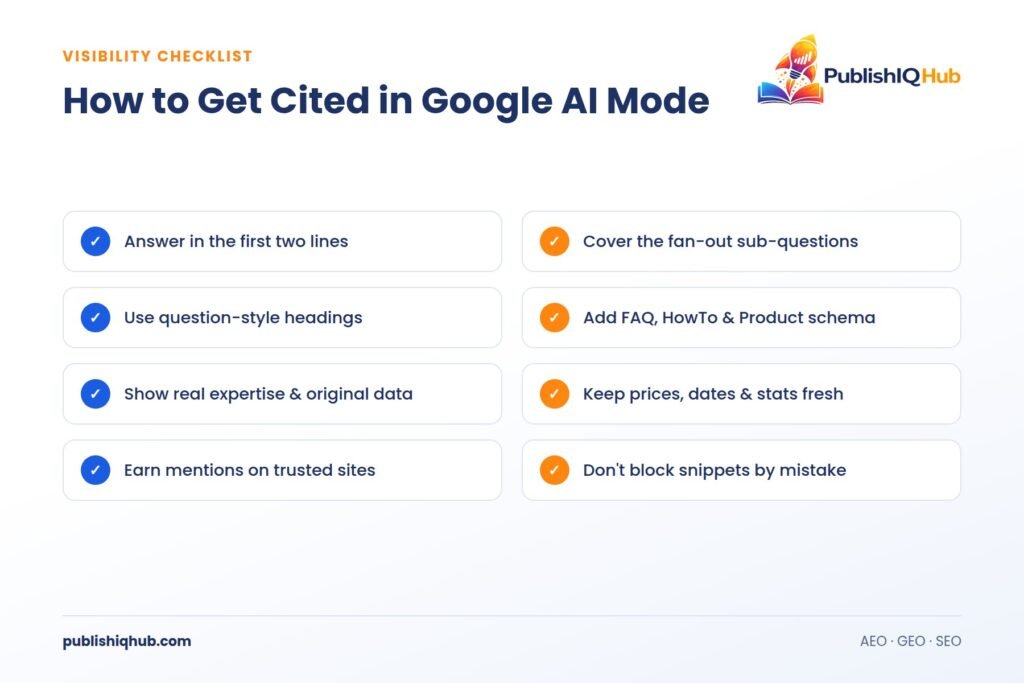
- Answer the question in the first two lines. Put a direct, plain answer under each heading. AI Mode lifts clean answers.
- Cover the sub-questions. Think about the fan-out. If your topic is “home loan in India”, also answer eligibility, interest rates, documents, tax benefits and prepayment rules on the same page or in linked pages.
- Use question-style headings. Match how people actually talk to AI: “How much does…”, “Is it worth…”, “What’s the difference between…”.
- Add structured data. FAQ, HowTo, Product, Review and Organization schema help Google read your page correctly.
- Show real expertise. Author bios, original data and first-hand testing make a page worth citing.
- Keep facts fresh. Update prices, dates and stats. AI Mode leans towards current information.
- Build mentions beyond your site. Brand mentions on trusted third-party sites help AI systems recognise you. Working with reputable content syndication providers in the USA can widen that footprint.
- Don’t block snippets by accident. Check that nosnippet or max-snippet tags aren’t stopping Google from quoting you.
This approach overlaps heavily with AEO (Answer Engine Optimization) and GEO (Generative Engine Optimization). Good Google AI Mode SEO is mostly good SEO, written for questions instead of keywords.
Will AI Mode Replace Google Search?
Not fully, at least not yet. Google has told publishers that AI Mode stays optional and that classic results will remain. Plenty of searches, like “IRCTC login” or “weather today”, don’t need an AI answer at all.
But the direction is clear. AI Mode now sits in Chrome’s address bar, the Android search bar and the Google app home screen. Queries have more than doubled every quarter since launch, according to Google. And it’s not only search. The same agentic shift is showing up across business software, as covered in our guide to AI and human resources software.
The smart move is to plan for both: rank in classic results and get cited in AI answers.
Final Thoughts
AI Mode in Google has moved from an experiment to a default habit for a billion people in about a year. For users, it means fewer tabs and faster decisions. For publishers and brands, it means the target has moved from “rank on page one” to “be the source the AI trusts.”
The fundamentals still work: clear answers, real expertise and fresh information. Teams that write for questions, not just keywords, will keep showing up.
Want more practical breakdowns on AI, search and digital growth? Explore the latest guides on the PublishIQHub blog.
Frequently Asked Questions About AI Mode in Google
1. What is AI Mode in Google Search?
AI Mode is a conversational search tab in Google, powered by Gemini. It answers complex, multi-part questions in one detailed response, shows source links alongside, and lets you ask follow-up questions. It uses a query fan-out technique, running many related searches at once instead of a single keyword search.
2. Is Google AI Mode free to use?
Yes. AI Mode is free for anyone signed in with a Google account in supported countries. Paid Google AI Pro and Ultra plans add higher limits and early access to features like search agents, but the everyday conversational search experience does not cost anything.
3. What is the difference between AI Mode and AI Overviews?
AI Overviews are short AI summaries that appear automatically at the top of regular search results. AI Mode is a separate tab you choose to open, giving a full conversational answer with follow-ups. Overviews suit quick facts, while AI Mode suits research, comparisons and multi-step decisions.
4. How do I turn off AI Mode in Google?
There is no single off switch for AI Mode. It is optional, so regular results appear if you don’t tap the AI Mode tab. For link-only results, use the “Web” filter below the search bar. You can also delete AI Mode history from the sidebar or turn off search history in settings.
5. Is Google AI Mode available in India and in Hindi?
Yes. AI Mode is available across India and supports Hindi, Bengali, Kannada, Malayalam, Marathi, Tamil, Telugu and Urdu, plus English. India was also the first country outside the US to get Search Live, which lets you search using voice and your phone camera in real time.
6. How can my website appear in Google AI Mode?
Google says no special optimisation is required beyond being indexed and snippet-eligible. In practice, pages that answer questions directly, cover related sub-topics, use question-style headings and schema, show real expertise and stay up to date are cited more often in AI Mode answers.
7. Will AI Mode replace traditional Google Search?
Not in the near term. Google has confirmed AI Mode stays optional and classic blue links remain available. However, AI Mode passed one billion monthly users within a year and is now built into Chrome and the Google app, so brands should optimise for both classic results and AI citations.